3.1 Case Details
Displays the basic information associated to a client:
First, Middle and Last Name
Member ID
Product Delivery Case Status (i.e. Open, Closed)
Date of Birth and Age
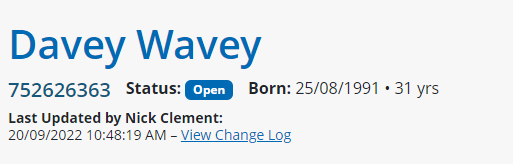
This section indicates the last time this case was updated in the application, through a date and time stamp, as well as the user who completed the update.
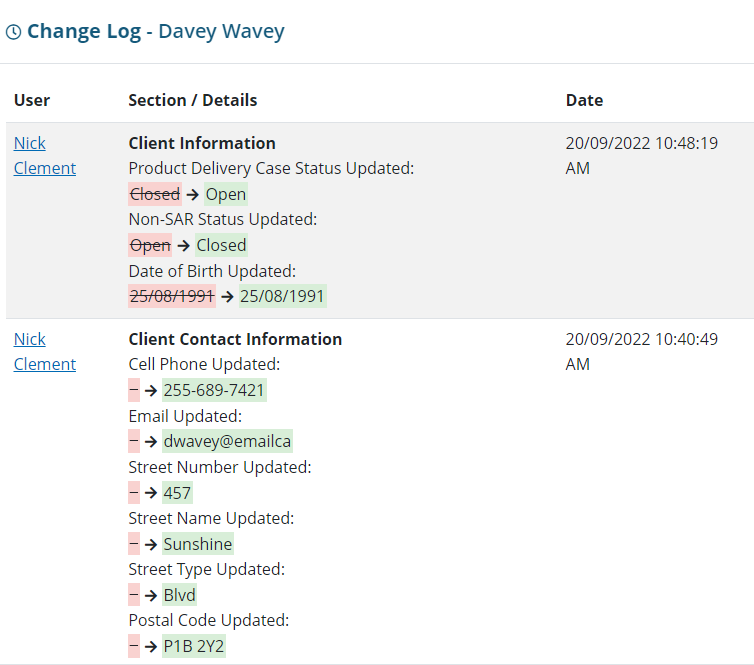
Users can also click on the View Change Log link, which opens a modal window, to see all the changes or updates associated to this client. When a change has been made to any client information, the previous state will be crossed out and highlighted red, and the new state will be highlighted green. A date and time stamp will also be marked on the right-hand side of the changed item.