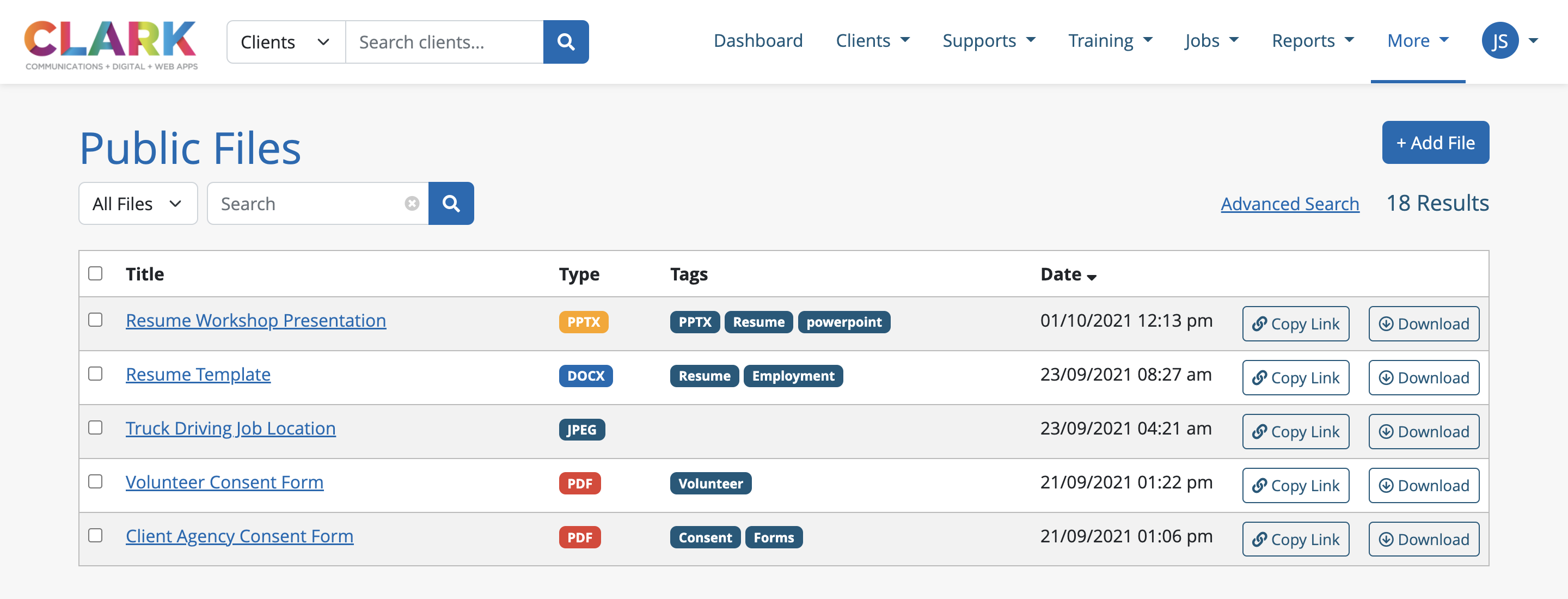
10.1 File Manager List

Staff can add files to the file manager by clicking the More button in the navigation menu. Here they will see File Manager This will direct them to the public files listings page.
Within the listings page, staff can filter the list via All Files , or just their own via My Files. They can also use the keyword search to find the the title of a specific file, or use the Advanced Search to find a specific file type or tag associated to the file.
For each file, staff will be able to see the following information:
The title, or name, of the file
The type of file, such as a DOC, PDF, JPEG, MP4, etc.
Any tags associated to the file
The date and time the file was uploaded
A URL copy link to the file
A download button for the file
Staff can click the title of the file to be brought to the file’s profile page.