
6.4 Employers
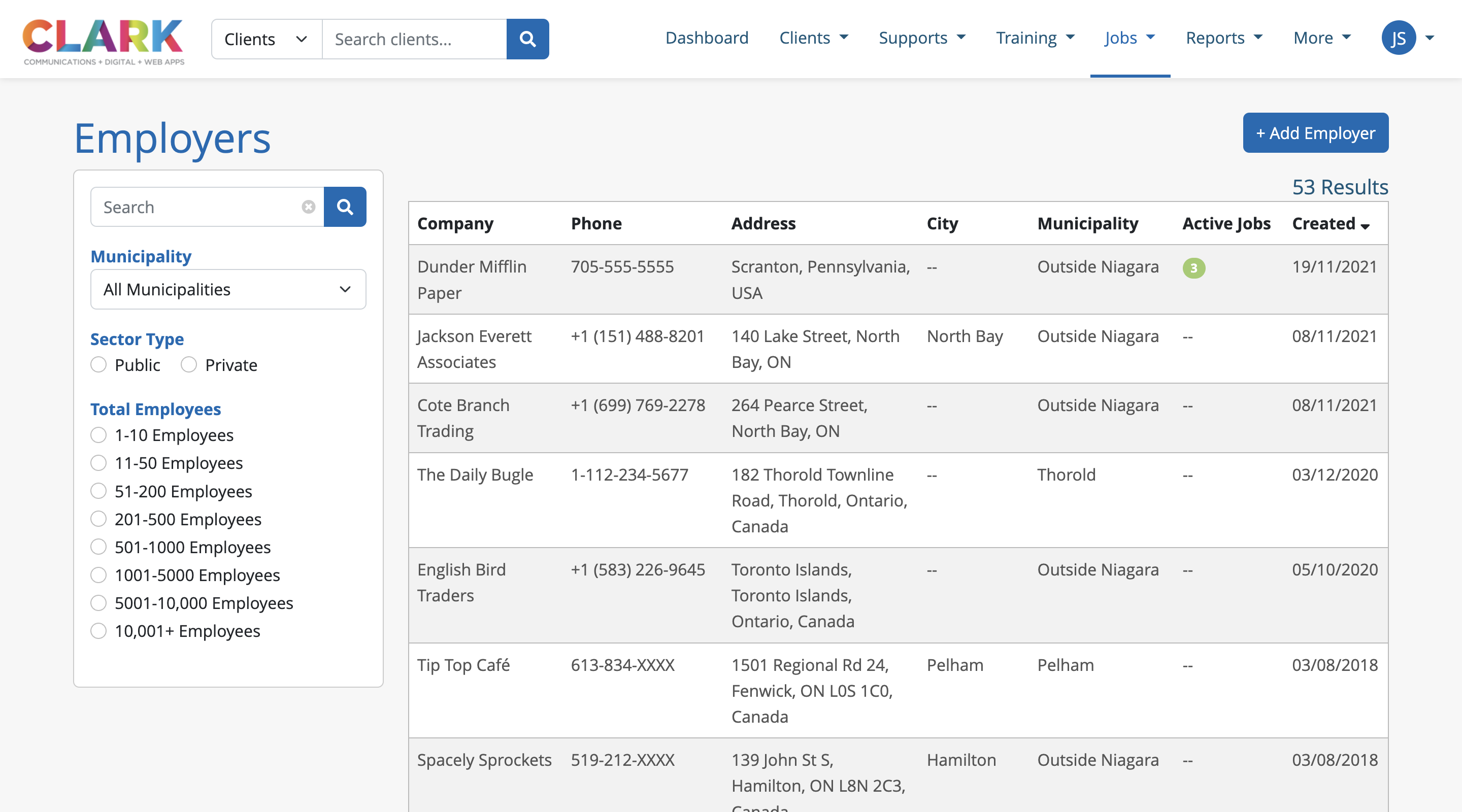
The Employers page lists employers created in the system that can be searched by Company name, filtered by municipality, or sorted by clicking any of the column headers. This list also indicated the number of Active Jobs in the system associated to each employer.
6.4.1 Add New Employers
Depending on permissions, users may be able to add new employers to system by clicking the +Add Employer button on the Employer list page. Users will be prompted with a blank employer profile to be populated.
The Location field is powered by Google, so users can search a full or partial address, city or town, and the system will suggest possible locations. Once selected, the Google Map will update to the reflect the location selected.
The Contact Information for this profile is used for the primary contact for the company.
Once the profile is populated, users can click the Save button to add this employer to the Job System.
6.4.2 Employer Profile
Once created, the employer profile can be viewed or edited, and displays the company details, location and contact information for the employer, similar to a job post.
Jobs tab
Lists all active jobs associated to this employer, Job Developer managing each job and the date the job was posted in the system
Reports tab
Displays basic reports about the jobs, positions and number of hires for this employer over a 12-month period