
6.1 Job List
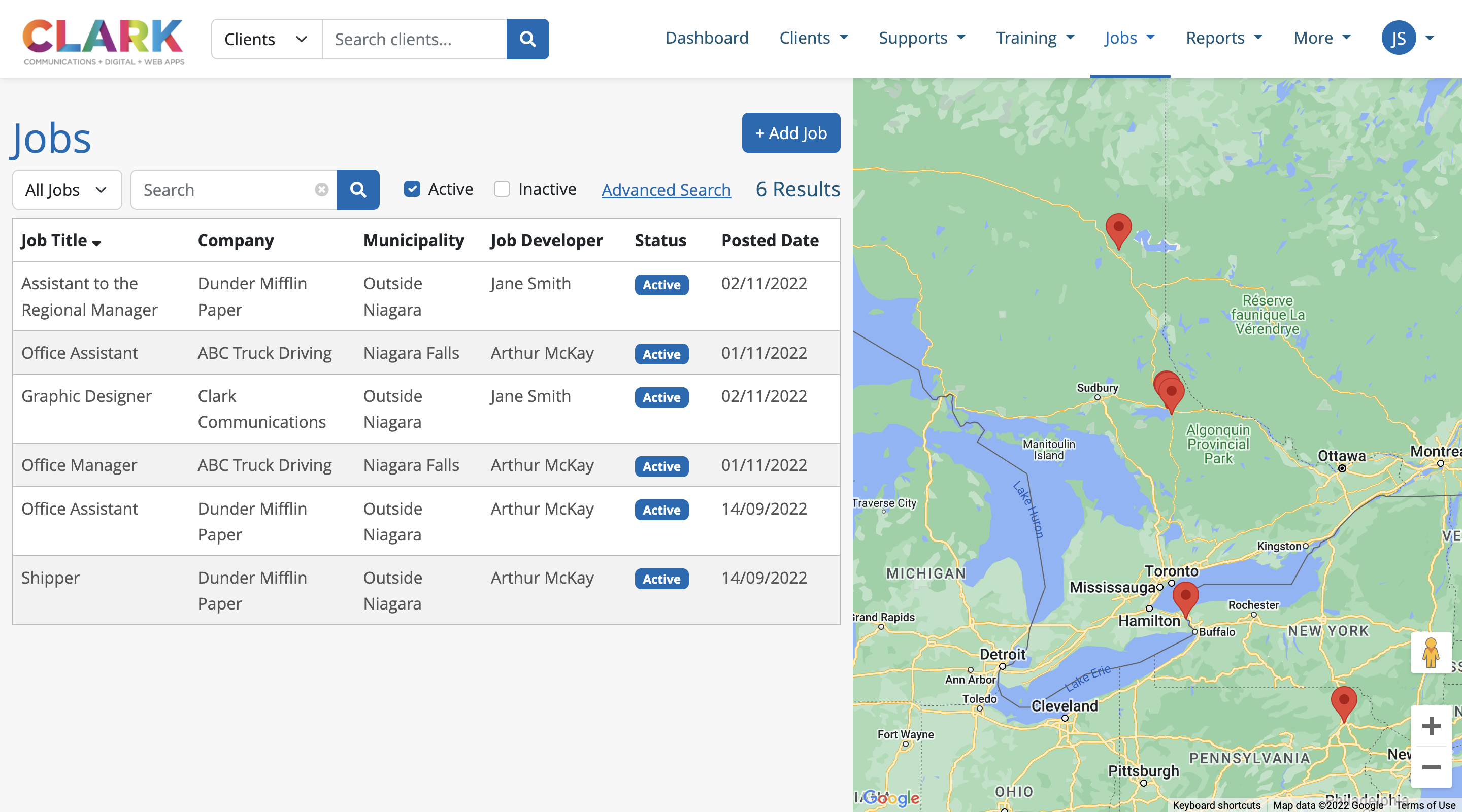
The Job list page displays all the active jobs in the region that have been created by users, in both a list form and pins placed on a Google Map.
By default, all active jobs in the system are displayed but users can apply filters to the listings:
My Jobs – Jobs managed by the logged in user
All Jobs – All jobs in the database
Open – Active jobs in the database
Closed – Inactive jobs in the database
Users can use the search bar to search jobs by Job Title or Company, and can also sort the listings, in ascending or descending order, by clicking any of the column headers.
The Job System also includes an Advanced Search feature to allow users the ability to filter all jobs in the database that match a specific set of job details. This search includes all data points being captured for a job post, such as: positions available, availability, job type, wage range, required education and industry.